
November 27, 2026
The biggest Dispatch day of the week: a driver's name now opens their messages and map, unassigned tasks can be hidden to give the board more room, and a task card can be copied as an image to send on WhatsApp. Dispatch now adapts to the screen width — from a phone held sideways to large monitors.
New
Click a driver's name: «Messages» and «Map»
The phone-icon column is gone from Dispatch. The driver's app status becomes a dot before the name and unread messages a counter after it. Clicking the name opens the driver window with two tabs:
- Messages — the conversation with the driver.
- Map — the position on an interactive map that follows the driver, «Last position», «Battery», «Open in Google Maps» and «Force update» for the app.
Messages stay open when you switch tabs. Without the phone column, the drivers column takes up less room.
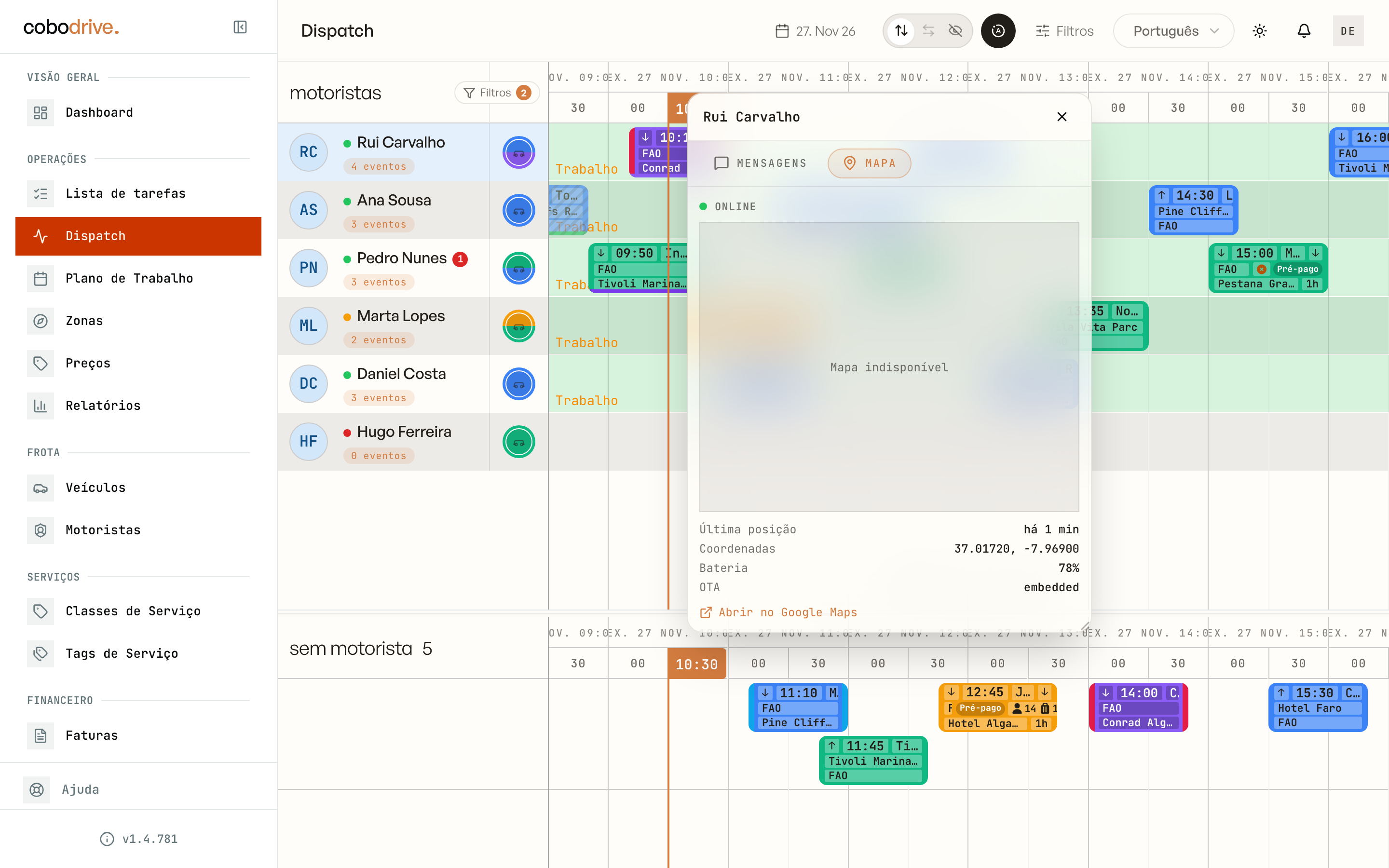
Where: Dispatch › drivers column › driver name
v1.4.776
Hide unassigned tasks
The view button in the Dispatch header has a third position, «Hide unassigned tasks», next to the timeline below and the grid on the side: the drivers' board gets all the space. With unassigned tasks hidden, the button shows how many there are («N unassigned»), so nothing is forgotten. The choice is saved, like the others.
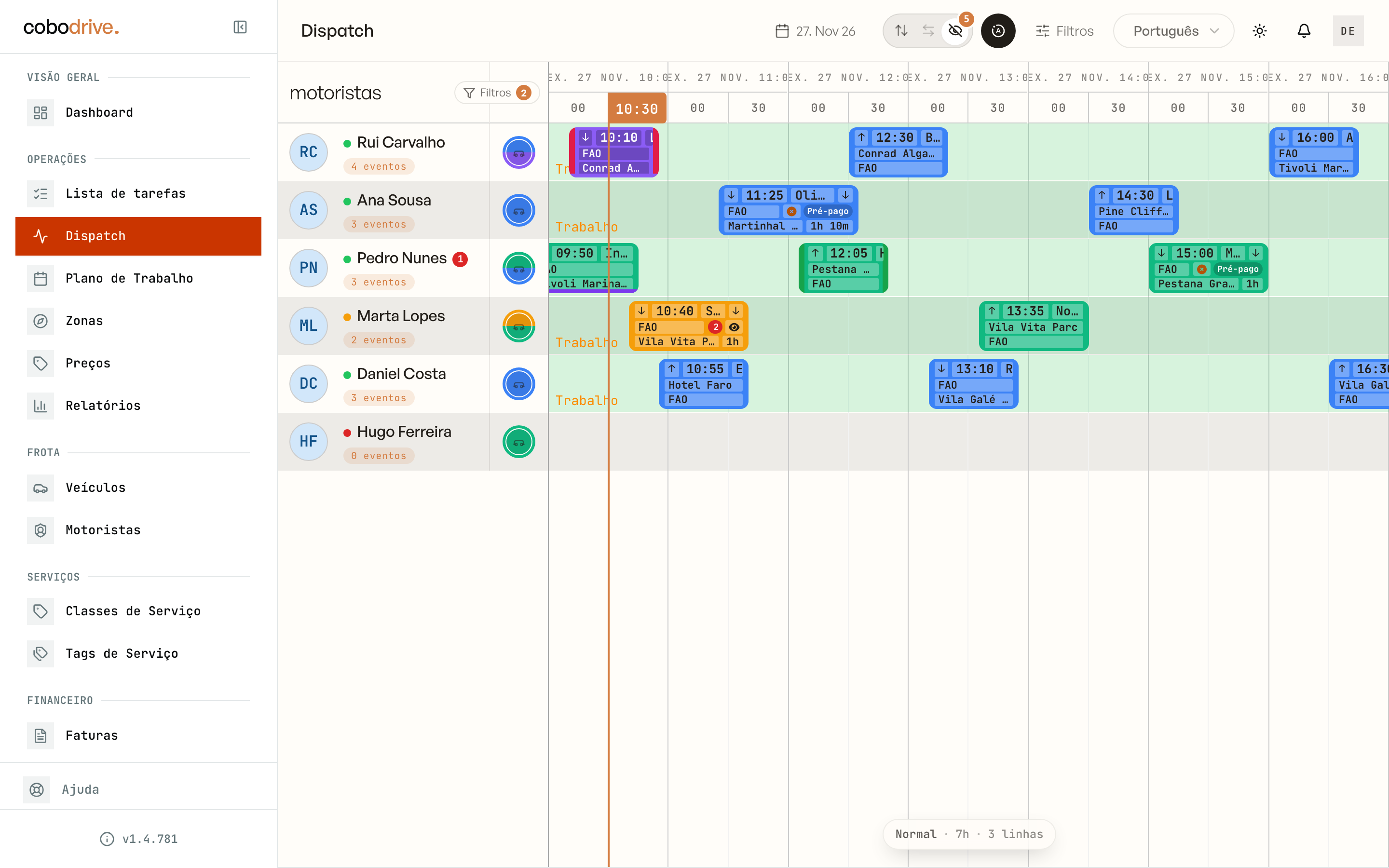
Where: Dispatch › header › view button
v1.4.777 – v1.4.778
«Copy image» of a task card
In the corner of a task card (on hover, on the board or in the grid) there is a «Copy image» button: it copies the card as a sharp image, ready to paste into WhatsApp. The card has no prices. A note next to the button confirms the image was copied. On phones and tablets, «Copy image» is in the task's actions panel and opens the system share sheet; where copying isn't possible, the image is downloaded.
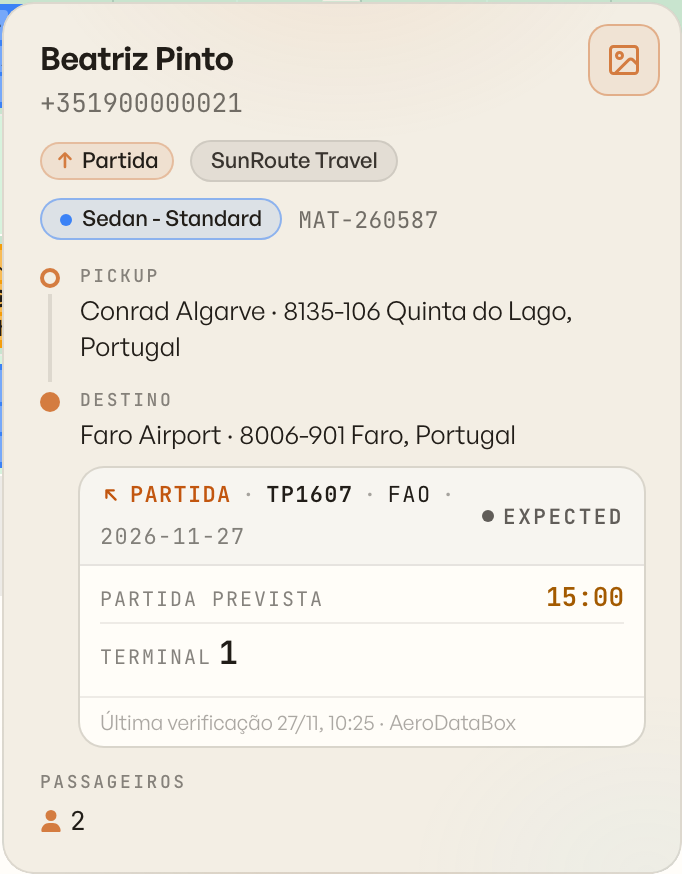
Where: Dispatch › task card
Ref. #352
v1.4.769 – v1.4.770
«No app access» warning and «Give the Driver role»
An account linked to a driver but without the Driver role can't do anything in the app — and until now nobody in the office could see why. Drivers and Users now show a «No app access» warning and, for whoever can assign roles, a «Give the Driver role» button that fixes it in one click and is recorded in the driver's history.
In the driver app, an account in this situation sees «Account without app access» right away, with what to ask the office.
Where: Drivers · Users · Driver app
v1.4.768
No room for the grid: Dispatch switches to stacked boards on its own
When the window gets too narrow for the timeline and the side grid next to each other (for example, with the menu open on a small laptop), Dispatch switches to the stacked boards on its own and returns to the grid when there is room. Your saved preference doesn't change; the grid button is disabled and explains why.
Where: Dispatch
v1.4.771
Improved
Dispatch adapts to the screen width and to touch
The layout now depends on the screen width rather than the type of device — some tablets are bigger than a laptop:
- Below 768 px — a task's menu opens as a sheet at the bottom of the screen and a tap on a task opens the panel at the bottom.
- From 768 to 1919 px — a tap opens an actions card next to the task.
- From 1920 px — a tap selects and the details go to the fixed panel, as on desktop.
Context menus have a new look on every device, with larger options for fingers. On Android, the browser's own menu no longer appears on top of the task menu on a long press.
Where: Dispatch
v1.4.770
Dispatch on phones
With the phone upright, «Turn your phone sideways» appears — Dispatch only works in landscape — and, when you rotate, the timeline stays where it was. Phones keep the «Normal», «Expanded» and «Detail» zoom levels; the zoom control is a round icon in the bottom-right corner. The «no driver» board takes at most half the height, and the side menu becomes a drawer with the phone sideways.
When dragging with a finger, the card becomes translucent so you can see the «Available» slot underneath, and dropping near the divider between the boards now saves.
Where: Dispatch (phone)
v1.4.779 – v1.4.780
Clearer overlapping-tasks badge
The «⚠» overlapping-tasks badge sits next to the driver's event count, with a sharp icon, and the «N overlapping tasks» tip appears straight away on hover (or with a tap).
Where: Dispatch › drivers column
v1.4.770
Flight on the task card with the flight-history look
The flight block on a task card now uses the «Flight history» design: direction, flight, airport and date in the header, the status on the right (pulsing when delayed), scheduled, estimated and landed times, terminal and gate, and the time of the last check — all in the user's language.
Where: Dispatch › task card
v1.4.772
More compact drivers column on small screens
Below 1280 px the drivers column shows only the name and badges, without the photo, and long names end with an ellipsis. Expanding or collapsing a driver is now instant, even with many drivers.
Where: Dispatch
v1.4.767 – v1.4.772
Fixed
Tasks at times off the 5-minute step can be dragged to a driver
A task booked for a time like 10:52 (or with seconds) bounced back without warning when dragged to a driver, with the mouse or a finger. The assignment now goes through and the task keeps its original time.
Where: Dispatch
v1.4.774
«Milestone» only on tasks with a driver
Milestones record the progress of the driver's trip; on an unassigned task that information would be false. The «Milestone» submenu only appears when the task has a driver.
Where: Dispatch › task menu
v1.4.773
Full task form on iPad
On iPad, the bottom of the task form could end up off screen, with no way to reach it. The form now uses the real screen height, opens full screen on the narrowest screens, and scrolling to the end no longer drags the board underneath. On phones, the timeline no longer runs ahead to the next days on its own.
Where: Dispatch › task form
v1.4.779